
Sometimes the best video ad tool is not a complex generator, but a lightweight browser-based editor that lets you resize, crop, clean audio, and add precise captions in seconds. After utilizing VEED.io as our final editing layer over three months, we share our campaign results and verdict.

In our comparative testing of AI video ad generators, we noticed that while platforms like AdCreative AI or Creatify are excellent at producing creative variants, they sometimes lack fine-grained control over subtitle styling, custom timeline trims, and final format adjustments. That is where VEED.io fits into the media buyer’s toolkit.
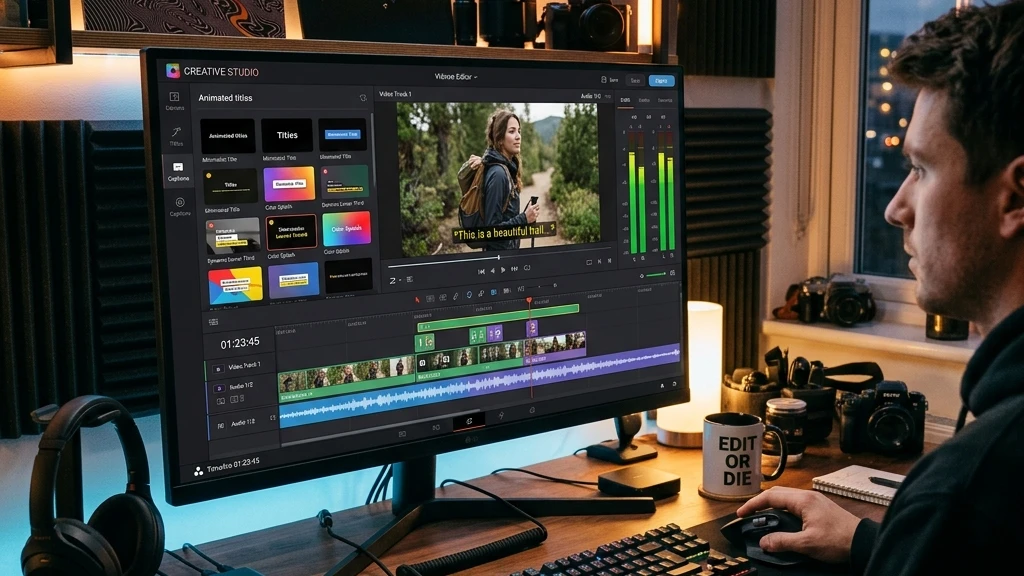
VEED.io does not try to generate entire ad creatives from prompts. Instead, it serves as a cloud-based post-production studio to polish, subtitle, resize, and finalize creatives before they are launched on ad networks. Let’s look at how it scores.
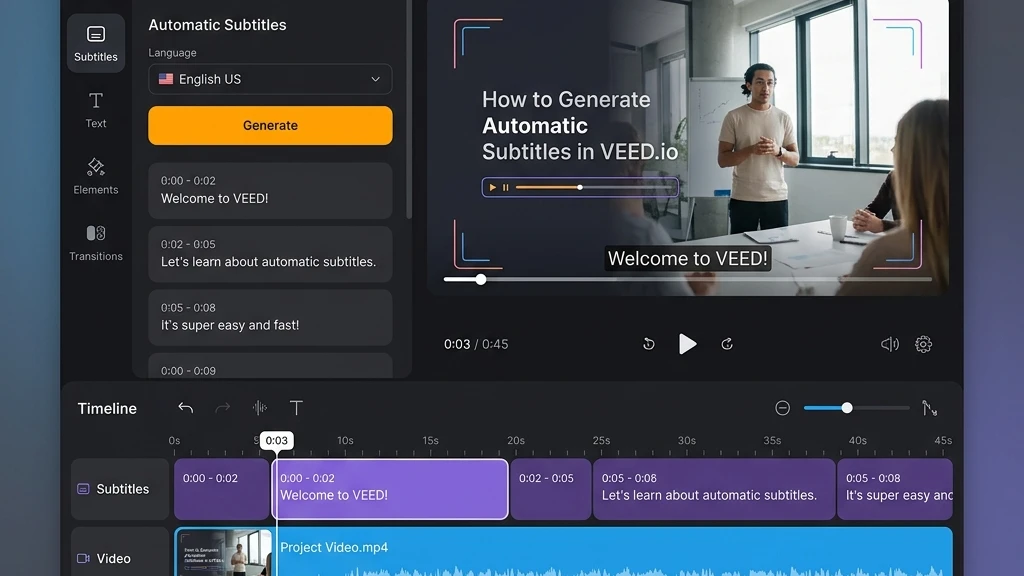
What is VEED.io?
VEED.io is a cloud-based video editing platform designed for fast-paced content marketing and social media teams. Operating entirely in the browser, the tool replaces complex desktop software (like Premiere or Final Cut) with a straightforward interface tailored for quick crops, trims, and caption generation.
The platform has added multiple AI tools over the last two years, including an AI voice generator, auto-subtitling, background noise removal, and eye-contact correction, making it a very capable finishing layer for social media media buyers.
Key features & capabilities
We tested the core features that matter in advertising workflows:
- Auto-Subtitles: Industry-leading caption generator that translates voiceovers to precise subtitles in over 50 languages with customized styling options.
- One-Click Resize: Adapt video ratios automatically to 9:16 vertical, 1:1 square, or 16:9 landscape without losing subject focus.
- Clean Audio AI: Instantly removes background wind, hiss, or echo from microphone recordings.
- Eye-Contact Correction: Uses AI to adjust eye gaze so presenters appear to be looking directly at the camera.
Detailed pros and cons
✅ What we loved
- Superb auto-caption styling options (TikTok and Reels style presets)
- Browser-based interface is fast and does not require heavy GPU hardware
- Clean Audio AI works brilliantly for fixing UGC clips
- One-click aspect ratio resizing saves significant timeline work
- Easy-to-use transitions, overlays, and stock music tracks
❌ Areas for improvement
- Not built for generating ads from product page links or text prompts
- Free plan is highly limited and prints a watermarked video export
- Large video uploads and rendering speeds depend on browser connection
- Limited AI avatar presenter selection compared to HeyGen
Pricing & plans in 2026
VEED.io pricing is based on a yearly or monthly subscription tier:
| Plan Tier | Price / Month | Best For | Core Features Included |
|---|---|---|---|
| Basic | $12 / mo | Beginner Content Creators | No watermark, 720p exports, standard auto-captions |
| Pro Recommended | $24 / mo | Social Media Media Buyers | 1080p exports, Clean Audio AI, advanced custom captions, translation tools |
| Business | $59 / mo | Ad Agencies & Teams | 4K exports, priority rendering, custom brand profiles, team collaboration |
Who is VEED.io best for?
📱 Social Advertisers
Polish raw creative video exports, rapidly adjust aspect ratios, and generate multi-lingual auto-captions for feed campaigns.
✂️ UGC Creative Editors
Clean up background microphone noise, crop video frames, and stitch graphics or overlays to raw customer testimonials.
👤 Solo Operators
An affordable, cloud-based alternative to heavy desktop software that handles captions, audio edits, and exports in one tab.